TrustDial: Caller, SMS & Block
- 4.3
- Rating
- 5.00M
- Installs
- Free
- Price

 Analysis by App-foxy
When one phone serves an entire household, an unknown call is rarely just a small interruption. It may be a delivery driver trying to reach someone, a persistent sales call, or a message that belongs to another person using the device. I tested TrustDial in that kind of everyday setting, focusing less on its headline promise and more on whether it helps people share a phone without creating new confusion. It is a free communication app from Oregon Coast App LLC, built around caller identification, spam blocking, and message organization.
That combination makes sense for a shared device. A parent may want fewer nuisance calls, a couple may need to sort personal and household conversations, and an older relative may appreciate more context before answering an unfamiliar number. My overall impression is positive, but the app works best when everyone agrees on what should be blocked, what should remain visible, and who is responsible for checking messages. It is not a complete household communication system, and treating it as one would lead to disappointment.
How TrustDial feels on a shared household phone
The most useful way to understand this app is as a layer of organization around ordinary calls and texts. It does not replace the phone’s basic communication tools; instead, it aims to make incoming activity easier to interpret. That distinction matters when several people depend on the same handset. The value is not simply stopping spam. It is reducing the number of moments when someone has to ask, “Who is calling, and is this important?”
You May Also Like

 Blood Strike: 2.5 Anniversary
Blood Strike’s Loadouts Turn Every Drop Into a Tactical Gamble
A close look at Blood Strike’s custom loadouts: how fast access to signature weapons reshapes its battle royale rhythm, rewards preparation, and narrows the gap between fights.

 Pandora - Music & Podcasts
Pandora’s Music Is Easy to Start, but Harder to Recover
Pandora’s strength is its low-effort path from a seed to a station. Its weak spot is how much confidence it asks you to place in connection, setup, and quiet recovery.

 8 Ball Pool
 Is Built on Rivalries, Rematches, and Routine
A close look at the rivalries, rematches, shared routines, and unanswered safety questions that turn a quick pool match into a persistent mobile community.

 Samsung Music
’s Quiet Strength Is Playing What You Already Own
Its reach comes less from spectacle than from dependable access to a personal library. That simplicity is both the app’s strongest retention engine and its ceiling.

 AccuWeather: Weather Radar
AccuWeather Review: A Quick, Clear Forecast for Everyday Decisions
For everyday plans, the best forecast is the one you can understand quickly. AccuWeather makes rain timing, radar, and local conditions easy to act on, with a few trade-offs.

 Hill Climb Racing
Why Hill Climb Racing Still Turns Crashes Into One More Run
A tiny car, a bumpy hill and one more upgrade: Hill Climb Racing keeps resurfacing because its simple chaos makes every near-miss feel personal.
More From Our News Desk



In a realistic household scenario, imagine a phone kept in the kitchen. During the day, one person receives a call from a local business, another is waiting for a courier, and a third person is trying to avoid repeated marketing calls. Without some organization, the call history becomes a shared pile of names and numbers. TrustDial can make that stream easier to review, particularly when the person holding the phone is not the intended recipient.
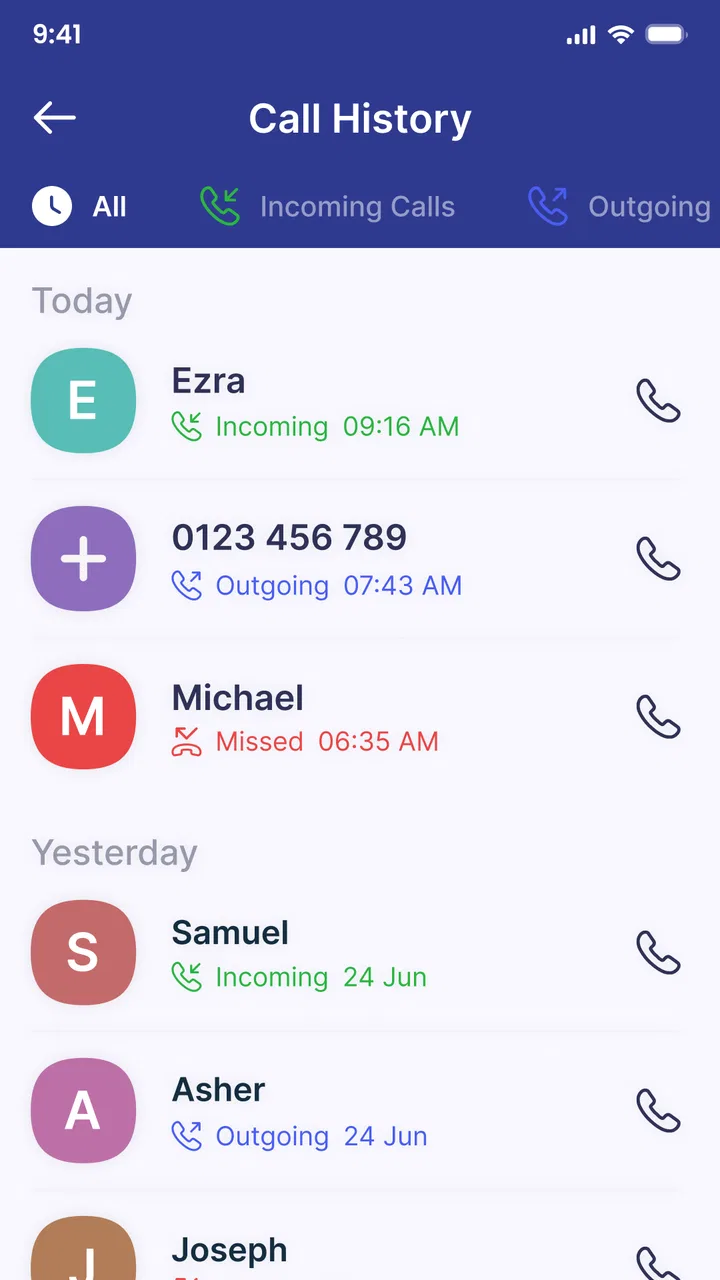
I found the caller-identification purpose especially useful before answering unfamiliar calls. A name or indication that a call may be unwanted gives the user a moment to decide instead of reacting automatically. That is a modest improvement, but it can be valuable for people who receive many calls while working, caring for children, or helping an older family member manage a phone.
The message side is just as important in a shared environment. Organizing texts can help separate useful conversations from clutter, but it should not be mistaken for separate user accounts. If several people use one device, the app does not magically create private inboxes or personal identities. The household still needs a simple agreement about who checks which conversations and when.
That is the first important trade-off: TrustDial can make one phone easier to manage, but it cannot turn one shared phone into several independent phones. If privacy between users is the main requirement, a separate device or a platform with genuine account separation will be a better answer.
What the first setup should accomplish
I would install it with the household present rather than quietly changing how calls and messages are handled. The key question is not only whether spam should be blocked. It is also whether everyone understands that filtering can affect what appears in the normal communication flow. A missed legitimate call has a different cost from a missed advertisement, and the right balance depends on the person using the device.
For a personal phone, the decision is straightforward: the owner chooses the level of intervention. For a shared phone, the owner should remain the final decision-maker. This is particularly important when the device belongs to a parent, a small business, or an older adult who may rely on calls from unfamiliar numbers. A family member helping with setup should explain the purpose in plain language instead of presenting the app as an invisible safety net.
The app is suitable for an audience rated Everyone, and it runs on devices using Android 8.0 or later. That broad compatibility is helpful for households keeping an older phone in service. Still, compatibility should not be confused with suitability for every user. Someone who depends on specialized calling tools, strict workplace communication procedures, or a highly private messaging arrangement should test the workflow carefully before making it central to daily communication.
One practical tip is to keep a short list of expected callers nearby during the first few days: schools, clinics, delivery services, repair companies, and relatives who may call from changing numbers. This makes it easier to notice whether the filtering approach fits the household. It also prevents a common mistake—assuming that every unfamiliar call is automatically unimportant.
Boundaries matter more than automation
Spam blocking is attractive because it promises less effort, but no filter understands every household situation perfectly. A number that looks unfamiliar to one person may be essential to another. For example, a temporary number used by a medical office or a tradesperson may not resemble a familiar contact. I would therefore treat blocking as assistance, not as permission to stop checking all incoming activity.
This is where TrustDial differs from simply relying on the phone’s built-in call screen. The app’s focus is more deliberate: identify callers, reduce unwanted interruptions, and help arrange messages in one place. That can feel more useful than a bare call log, especially for someone who wants a clearer view of communication. However, the standard phone tools remain the safer fallback when a household needs complete familiarity with every native behavior.
Another boundary concerns shared responsibility. If one person blocks a category of calls without telling anyone else, the rest of the household may assume the phone is malfunctioning. A better routine is to review blocked or suspicious activity together when a legitimate call is expected. This does not require turning the app into a family meeting; a quick check after a missed call is enough to keep expectations realistic.
I also recommend avoiding an all-or-nothing mindset. The app is most helpful when it reduces obvious clutter while leaving room for human judgment. If a household has very few unwanted calls, the benefit may not justify changing the familiar phone workflow. Conversely, if the device is constantly interrupted, even a small reduction in noise can make the app worthwhile.
Coordinating calls and messages without crossing account lines
A shared phone creates a coordination problem that caller identification alone cannot solve. Everyone needs to know whether a new message is personal, household-related, or merely unwanted. TrustDial can help make the incoming stream more readable, but the household still needs conventions. I would suggest agreeing on a simple rule: important messages should be acknowledged by the intended person, while uncertain messages should remain available for review rather than being deleted immediately.
This approach is particularly useful for families who use one older phone as a backup handset. A child may carry it after school, a parent may use it for appointments, and another person may keep it available for emergencies. The app can help each user understand incoming activity, but it does not establish separate profiles or guarantee that one person will not see another person’s communication. That limitation should be discussed before installation.
For a couple sharing a device temporarily, the app may be convenient during travel or while one phone is being repaired. Caller identification can reduce the need to answer every unknown number, while message organization can make a busy conversation list easier to scan. Yet temporary sharing also increases the risk of accidental exposure. If either person expects private communication, a shared handset with any organizer or caller-identification tool is not the right long-term arrangement.
My non-obvious recommendation is to use the app as a triage tool, not as a filing cabinet for the whole family. Let it help decide what deserves attention first, then move important household information into the agreed place—perhaps a calendar, a note, or a direct conversation. Keeping every responsibility inside the call and message stream makes the phone look organized while leaving the household poorly coordinated.
Compared with a traditional caller-ID utility, TrustDial’s appeal is the combination of identification, blocking, and message organization. Compared with a full messaging platform, it is much lighter and closer to the phone’s normal behavior. That middle position is its strength for people who want less disruption without asking everyone to adopt a new chat service. Its weakness is that it cannot provide the richer collaboration features of a dedicated family or team app.
Age, trust, and who should control the phone
The Everyone age classification makes the app approachable for a broad household audience, but age alone does not determine whether it is appropriate. An older adult may welcome help recognizing suspicious calls, yet may also need clear explanations whenever the phone behaves differently. A child may use the device safely for basic communication, but that does not mean the child should decide which calls are blocked for everyone.
I would put the phone owner in charge of the settings and make sure other users know how to report a missed or wrongly filtered call. This is not about surveillance; it is about preserving trust. A family member who discovers that a needed call disappeared may stop trusting the phone entirely. Open communication about the app’s role is more valuable than silently relying on automation.
There is also a privacy boundary worth taking seriously. A shared device exposes more than call alerts. Message organization may make the inbox easier to navigate, but it does not make conversations private from other people who can unlock the phone. Households should not install it as a way to monitor one another. If the real goal is private communication between adults or age-appropriate supervision for a child, the operating system’s user controls, separate accounts, or separate devices are more suitable tools.
For an older relative, I would introduce only the parts that solve a visible problem. If nuisance calls are the issue, start with caller recognition and a clear explanation of what an unwanted call looks like. If the main difficulty is a crowded inbox, demonstrate how messages are organized. Avoid describing the app as protection from every scam, because no caller-identification service can replace caution when a caller asks for money, passwords, or urgent action.
This is another important strength and weakness in the same package. TrustDial can reduce uncertainty before answering, but it cannot verify a caller’s intentions. A familiar-looking name is not a guarantee of safety, and an unknown number is not automatically malicious. The best result comes when the app supports good judgment rather than replacing it.
Everyday friction and the Android experience
The app’s current version is 3.4, and its broad Android compatibility makes it a realistic option for households that do not replace phones frequently. I appreciate that positioning because shared or backup devices are often older than the main phone. Still, older hardware can make any communication organizer feel less immediate, especially when the user expects the native dialer and messaging app to behave exactly as before.
The main friction is conceptual rather than technical: users must learn where to look when a call or message does not appear in the expected place. That learning curve is manageable for a confident smartphone user, but it can be frustrating for someone who wants the phone to remain completely unchanged. Before recommending it to a less technical relative, I would practice two situations together: identifying an unfamiliar caller and finding a message that needs attention.
Another limitation is that organization can create a false sense of completion. A cleaner inbox is not necessarily a more responsive inbox. In a shared household, someone still needs to follow up on appointment texts, delivery updates, and calls that require a reply. I would pair the app with a simple habit of checking important conversations at a set time, rather than assuming that classification alone solves missed communication.
The app is free, which removes the biggest barrier to trying it on a spare or household phone. Its reported average is 4.3 from around ten thousand ratings, and it has passed five million installs, so it is not an obscure experiment with no visible user base. Those figures make me more comfortable suggesting a trial, but they do not remove the need to judge it against the household’s communication habits.
The developer, Oregon Coast App LLC, presents a focused tool rather than an overloaded suite. That focus is welcome when the goal is call and message clarity. On the other hand, users looking for a complete contact manager, private family accounts, or a collaborative household dashboard will need something beyond this app.
Who will benefit, and who should skip it
I would recommend TrustDial to someone who receives frequent unwanted calls and wants more context before answering. It is also a sensible choice for a household using one Android phone as a shared line, provided everyone understands that it improves organization rather than creating separate identities. People helping an older relative may find the caller-identification angle useful because it offers a prompt for caution without requiring the person to memorize every number.
It can also suit a small home business that uses one phone for ordinary calls and customer messages, especially when the owner wants to separate urgent communication from obvious clutter. That use case still requires manual attention: legitimate customers may call from new numbers, and a business should not assume that a filter can make decisions on its behalf.
I would skip it if the phone already handles calls and texts comfortably and receives very little spam. I would also look elsewhere if privacy separation is essential, if several people need individual inboxes, or if the household wants shared calendars, task assignments, and group conversations. A dedicated collaboration app or separate user devices would be a better fit in those situations.
People who dislike changing default communication habits should approach it gradually. Install it on a secondary phone first, explain the expected behavior, and observe whether the household can still find important calls and messages without asking for help. That trial is more informative than judging the app solely by its store summary or by the number of installs.
My household verdict after using it
TrustDial succeeds when the problem is communication noise. It gives a shared phone a clearer first layer of interpretation, helping users decide which calls deserve attention and which messages need review. I like that it addresses two connected annoyances—unknown callers and crowded messages—rather than treating them as completely separate problems.
Its limits are equally clear. It does not replace a private account structure, a family coordination platform, or common sense around suspicious calls. It cannot decide which unfamiliar number matters to your household, and it should not be installed as a hidden monitoring tool. The more people share the device, the more important it becomes to agree on boundaries before relying on its filtering.
For a personal Android phone, the decision is easy: if spam and message clutter are regular irritations, the free trial is reasonable. For a household phone, I would recommend it with one condition: the owner remains in control, and everyone knows that organization is not the same as privacy. Used that way, TrustDial is a practical communication helper rather than an exaggerated all-purpose solution.
My final recommendation is cautious but favorable. Try it when the household needs fewer interruptions and a more readable call stream, then keep it only if important communication remains easy to find. If the app makes the phone feel calmer without making anyone wonder where a needed call went, it has earned its place. If separate identities or deeper coordination are the real goal, choose a different tool instead.
FAQs for TrustDial: Caller, SMS & Block
01What is TrustDial: Caller, SMS & Block used for?
TrustDial: Caller, SMS & Block is designed to help you manage unwanted calls and text messages. It can identify callers, block suspicious or nuisance numbers, and give you more control over incoming communication. It is particularly useful if you regularly receive spam, telemarketing calls, scam messages, or repeated calls from numbers you do not recognize.
02Does TrustDial automatically block spam calls and SMS messages?
The app can help detect and block unwanted calls and messages, but the exact level of automation may depend on your settings, device, operating system, and the permissions you grant. Before relying on it completely, review its blocking rules and notification options. Some unknown numbers may still require manual action, especially when they are not yet included in the app’s available identification data.
03What permissions does TrustDial require, and are they safe to grant?
Because TrustDial focuses on caller identification, call blocking, and SMS management, it may request access to phone-related functions, contacts, call information, and messages. These permissions are important for its main features, but you should read the explanations shown during setup and check the app’s privacy policy. Only enable access you are comfortable providing.
04Can TrustDial identify every unknown caller or scam number?
No caller-identification service can guarantee recognition of every unknown number. TrustDial may provide useful information when a number is present in its database or has been reported by users, but newly created, spoofed, private, or local numbers may not be identified accurately. Treat warnings as helpful guidance rather than absolute proof, and avoid sharing personal information with suspicious callers.
05Is TrustDial: Caller, SMS & Block free to use?
The app’s availability, included features, advertisements, and optional premium tools can vary depending on the version and the platform where you download it. Check the official Google Play Store or Apple App Store listing for current pricing, subscriptions, and in-app purchase details. Also review renewal terms carefully if a trial or recurring subscription is offered before confirming payment.
Pros
- Identifies many unknown callers before you answer.
- Blocks unwanted calls and SMS with simple controls.
- Helps reduce repeated spam from suspicious numbers.
- Search tools make checking unfamiliar numbers convenient.
- Lightweight design keeps the main features easy to access.
Cons
- Caller identification may be incomplete for private or new numbers.
- Some features may require a subscription or in-app purchase.
- Spam filters can occasionally block legitimate messages or calls.
- Results and protection may vary by country and carrier.
- The app may need call and SMS permissions to work fully.

TrustDial: Caller, SMS & Block
Gallery